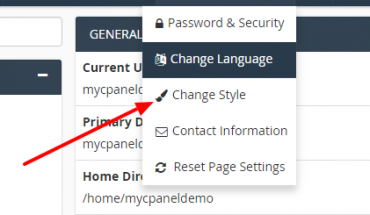
How to change your cPanel style
This post will guide you on changing the look and feel of cPanel to fit your personal style. Login to your Cpanel, on the right corner, you hove on your account name and click Change Style The next screen will show…


This post will guide you on changing the look and feel of cPanel to fit your personal style. Login to your Cpanel, on the right corner, you hove on your account name and click Change Style The next screen will show…
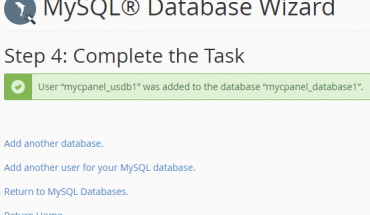
In databases table on cPanel homepage, click on MySQL Database Wizard At step 1: Create a database, you need to add your database name into New Database field Click Next step to continue At step 2, adding username, password…
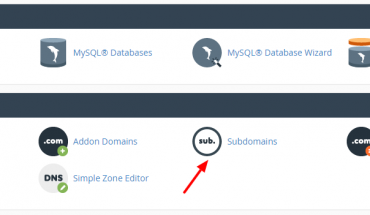
In cPanel, click on Subdomains icon to create a subdomain Type your desired name in subdomain field, cPanel will automatically fill data into document root Click Create to create a new subdomain. After finished, you can see your new subdomain…
Thức ăn cho cá rất khác nhau. Một số người ăn chay nghiêm ngặt, chăn thả chỉ có thực vật thủy sinh, trong khi những người khác là loài ăn thịt tinh khiết và chỉ ăn thịt. Nhiều loài ăn tạp, thích một chút của tất cả mọi thứ trong chế độ ăn uống của họ.

For security risks to minimize it is advisable to always run the latest software on your VPS with Ubuntu 16.04. All packages are fairly easy to upgrade by performing two commands: sudo apt-get update sudo apt-get upgrade Also keep in…
To uninstall fail2ban just follow these instructions. Uninstall just fail2ban sudo apt-get remove fail2ban This will remove just the fail2ban package itself. Uninstall fail2ban and its dependencies sudo apt-get remove –auto-remove fail2ban This will remove the fail2ban package and any…
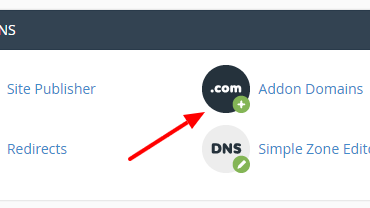
Normally, when you buy a hosting package, the hosting provider will give you a cPanel account and request that you provide a domain name (main domain), then this will be used for hosting primary domain. However, if you choose a…
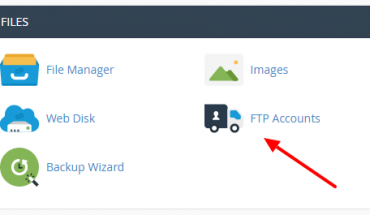
How to Create an FTP Account in cPanel and access your web site’s files through a protocol called FTP. After logged into your cPanel, click on FTP accounts icon to process to the page It will redirect you to…
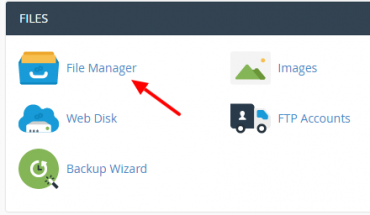
Learn how to limit access to a certain part of your site by requiring a user name and password to access a folder or folders from the web. Click on File manage to set a username or password for the…
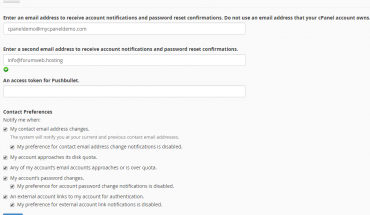
On cPanel control panel homepage, Click on your account name and click on Contact Information Enter an email address to receive account notifications and password reset confirmations. Do not use an email address that your cPanel account owns. Enter a second…
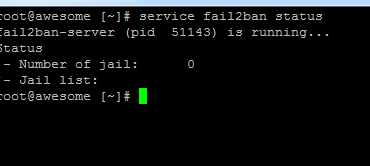
Login with PuTTY SSH or the console in the control panel as root and install fail2ban through the following steps: – Download the RPM repository for fail2ban: rpm -Uhv http://mirrors.ircam.fr/pub/fedora/epel/6/i386/epel-release-6-8.noarch.rpm yum install epel-release yum install fail2ban Type Y, and then…
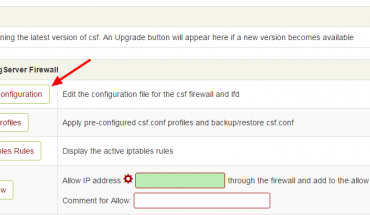
On a VPS you get full control over your server, it means that you are responsible for updates, security, configuration of your server. To fully protect your server, you can install a firewall as CSF. This software is totally free…