PHP & MySQL Basics: Databases & Tables
To test MySQL with PHP on your own computer, you need a separate server. You can setup your own server on your PC by Installing XAMPP or XAMPP lite and you can run PHP scripts on your computer and use…


To test MySQL with PHP on your own computer, you need a separate server. You can setup your own server on your PC by Installing XAMPP or XAMPP lite and you can run PHP scripts on your computer and use…
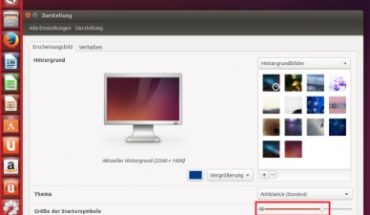
Ubuntu is one of the most user-friendly Linux operating systems and very popular today. Installing Ubuntu on your PC will therefore be relatively easy. ISO image of Ubuntu • First, you must decide whether you Ubuntu (64-bit) or (32-bit) Ubuntu…
Plesk vs cPanel – similarities Plesk vs. cPanel: These are the most famous web-hosting control panels. The following is a review of both types of Control Panels to allow you to make an optimized choice. In particular, this article is…

The choice of the server platform is not a question of licensing costs and functional scope of the operating system. More important are simple licensing procedures and suitable applications. Particularly in economically difficult times, the IT costs are often subjected…
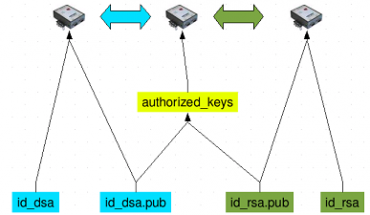
Server security is a topical issue. There are also a number of dangers for public servers such as: • DDoS attacks • Brute force attacks • SQL injections • Sesson hijacking • Exploiting vulnerabilities in popular Content Management Systems (CMS)…
Linux Security vs Windows Like Apple users, Linux supporters now have to increase the security of their computers, as various attacks from the past year show. The security company Panda Security warns Linux users urgently to weigh themselves in deceptive security….

Choosing & Why If you are self-employed on the Internet, you’re going to also need a website, a blog, a shop or some kind of internet presence. The fact is that the selection is not always easy in the beginning…

For security risks to minimize it is advisable to always run the latest software on your VPS with Ubuntu 16.04. All packages are fairly easy to upgrade by performing two commands: sudo apt-get update sudo apt-get upgrade Also keep in…
To uninstall fail2ban just follow these instructions. Uninstall just fail2ban sudo apt-get remove fail2ban This will remove just the fail2ban package itself. Uninstall fail2ban and its dependencies sudo apt-get remove –auto-remove fail2ban This will remove the fail2ban package and any…